



Smart Thermostats Repair in Winter Springs, FL



Smart thermostats are central to comfort, efficiency, and convenience in Winter Springs homes. When they fail to connect, misread temperatures, or cause unexpected HVAC cycling, the results are immediate: higher energy bills, inconsistent comfort, and frustration. Van Eddies Heating & Air Conditioning brings experienced, HVAC-focused smart thermostat repair in Winter Springs, FL, combining thermostat-specific expertise with deep knowledge of local climate demands and residential system configurations.
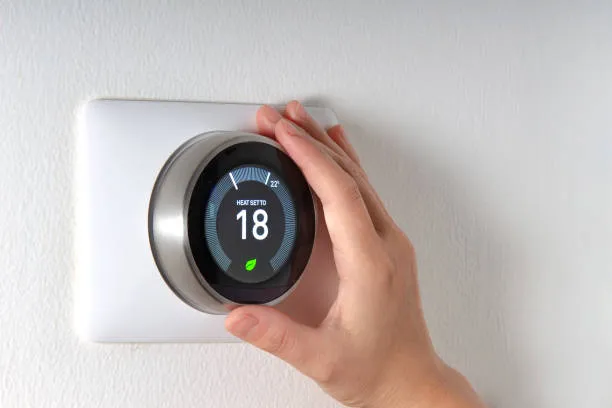
Why a focused smart thermostat repair matters in Winter Springs
- High humidity and long cooling seasons in Winter Springs make the thermostat the most-used control point for many months. Small errors in calibration or configuration quickly magnify into comfort complaints.
- Summer storms and occasional power outages can corrupt thermostat firmware or network credentials, leading to repeat connection failures.
- Many Central Florida homes have older HVAC wiring that lacks a consistent common wire (C-wire), a frequent root cause for modern smart thermostat issues.
- Integrating smart thermostats with heat pumps, two-stage systems, and humidification or dehumidification equipment requires careful compatibility checks and wiring verification that generic thermostat support lines often miss.
Van Eddies Heating & Air Conditioning applies HVAC-first diagnostics so that your thermostat not only connects to Wi-Fi but controls your system reliably and safely.
Common smart thermostat issues in Winter Springs homes
Homeowners typically search for solutions when they see one of several recurring problems. These fall into a few clear categories:
- Connectivity and network problems
- Thermostat drops from Wi-Fi after storms or router changes
- Intermittent cloud access or inability to link with assistant platforms
- Failure to receive remote app commands
- Power and wiring problems
- No common (C) wire or an unstable C-wire causing reboots
- Incorrect or loose terminal connections at the control board or thermostat
- Backfeeding or power-surge damage after outages
- Sensor and temperature reporting issues
- Thermostat reads a room temperature different from actual living spaces
- Remote sensors not pairing or showing delayed readings
- Rapid short-cycling caused by incorrect sensor placement or logic
- Firmware, configuration and automation glitches
- Failed firmware updates leaving the thermostat unresponsive
- Improper equipment configuration (heat pump vs conventional heat, staging)
- Scheduling logic or geofencing not triggering as expected
- Model-specific failures (common with Nest, Ecobee, Honeywell)
- Nest: charging/power issues related to lack of C-wire or weak common connection, occasional kernel or firmware corruption after power events
- Ecobee: remote sensor pairing and compatibility with older heat pump controls; alerting to high HVAC cycle rates
- Honeywell: legacy wiring compatibility problems with newer smart models, configuration mismatches between conventional and heat pump settings
- Environmental and installation problems
- Thermostat placed in direct sunlight, near return vents, or behind furniture
- Moisture or condensation in older wall cavities causing terminal corrosion
- Loose wallplate or damaged mounting hardware
Each problem has specific diagnostic steps. A properly trained HVAC technician separates thermostat-only faults from underlying HVAC equipment problems and corrects both where needed.
How diagnostics and on-site troubleshooting work
Van Eddies Heating & Air Conditioning approaches smart thermostat repair in Winter Springs, FL with a disciplined diagnostic protocol. On-site troubleshooting follows a predictable sequence so no step is missed.
Visual and environmental inspection
- Check thermostat placement, wall enclosure condition, and evidence of moisture or insect activity.
- Confirm model and software version on the thermostat’s info screen.
- Look for signs of physical damage, corrosion, or burn marks on terminals.
Power and wiring verification
- Confirm presence and stability of the C-wire with a multimeter; measure voltage between R and C (should be approximately 24 VAC).
- Inspect wire color and labeling at both the thermostat and the HVAC control board; trace wires to validate they are connected to the correct terminals.
- Test for short circuits or miswired accessories (humidifier, dehumidifier, zone controllers).
System compatibility and configuration check
- Determine HVAC system type: single-stage, two-stage, heat pump, or multi-zone ductless. Set the thermostat programming to match the equipment.
- Verify relay and fan control wiring if thermostat is expected to control blower relays or 24 VAC accessories.
Network and firmware evaluation
- Check local Wi-Fi signal strength at the thermostat location; measure interference and router band settings (2.4 GHz vs 5 GHz).
- Review firmware version; if firmware update failed or is outdated, assess whether a stable update can be applied on-site.
- Re-enter network credentials and assist with pairing to apps and voice assistants if needed.
Sensor and automation validation
- Test built-in and remote sensors for consistent readings; swap or bypass sensors to isolate faulty units.
- Run mode and staging tests to verify heating and cooling call sequences and observe equipment response.
Isolation testing
- Temporarily replace the smart thermostat with a known-good wall thermostat or meter the control signals while issuing calls to heat and cool. This confirms whether the issue is thermostat-only or reflective of a control board or compressor problem.
Diagnostic reporting and recommendations
- Provide an explanation of findings, list recommended repairs or replacements, and document any parts that need ordering or further HVAC service.
This systematic approach ensures the route cause is corrected, not just symptoms.
Typical on-site troubleshooting steps technicians perform
- Secure power: put the HVAC system into safe mode and protect against accidental short circuits while working on wiring.
- Remove thermostat housing and photograph wiring for accurate reinstallation.
- Temporarily provide power using a diagnostic power supply if the C-wire is missing or defective to confirm thermostat behavior under stable voltage.
- Re-seat and clean terminal screws; replace corroded connectors.
- Run manufacturer-specific diagnostics on Nest, Ecobee, Honeywell interfaces: factory logs, firmware rollback or update, and sensor recalibration.
- Test Wi-Fi by moving a portable router or a mobile hotspot to the thermostat proximity when investigating weak home networks.
- Reprogram thermostat to match equipment: heat pump reversal valve wiring, emergency heat configuration, and compressor lockout settings as needed.
Repairs, parts replacement, and compatibility checks
Smart thermostat repair rarely ends with only a software fix. The technician may recommend one or more of the following interventions based on diagnostics:
- Wiring repairs and C-wire solutions
- Secure loose or corroded terminal connections.
- Install a new dedicated C-wire where feasible, or run a proper 5- or 6-conductor cable through the wall.
- Use a compatible C-wire adapter or thermostat power adapter only if it is appropriate for your specific HVAC control board and does not interfere with equipment safety controls.
- Control board and relay repairs
- Replace a failing HVAC control board or blown 24 VAC transformer that cannot reliably supply thermostat power.
- Repair or replace fan relays or stage relays that interfere with accurate thermostat control.
- Thermostat replacement or advanced configuration
- Replace irreparably damaged thermostats and transfer sensors and schedules, ensuring correct setup for heat pump or two-stage equipment.
- Migrate remote sensors (Ecobee remote sensors, Nest Temperature Sensors) and verify compatibility with the replacement model.
- Manually set thermostat to proper equipment type and staging; for devices like Honeywell models with legacy labels, map wiring carefully.
- Firmware and network provisioning
- Restore firmware to a stable release if a recent update caused instability; ensure the device completes a firmware update on a reliable power source.
- Reconfigure network settings with secure password practices and recommend 2.4 GHz connectivity for models requiring greater range.
- Assist with account recovery and integration with voice assistants under homeowner authorization.
- Replacement parts and compatibility checks
- Replace defective remote sensors, wallplates, or mounting hardware.
- Confirm that chosen thermostat model supports your system: conventional furnace/AC, heat pump, dual fuel, multi-stage, or zone systems.
- For ductless or mini-split systems that use proprietary controls, verify whether a smart thermostat is compatible or if a manufacturer-specific interface is required.
Van Eddies Heating & Air Conditioning prioritizes compatibility and long-term reliability—repairing the thermostat and ensuring the HVAC system will respond correctly over high-load Summer days and during storm events.
Compatibility notes for popular models
- Nest (Google Nest Learning, Nest Thermostat)
- Often sensitive to absence of a true common wire. Nest attempts to charge itself via the HVAC control circuit and can experience brownouts without a stable C-wire.
- Nest sensors require firmware and account health checks; firmware corruption after power events can be resolved by restoring power and, if necessary, reinstalling firmware.
- Nest works well with conventional systems and many heat pumps, but specific wiring for O/B reversing valves must be confirmed.
- Ecobee
- Ecobee uses remote sensors and typically requires a C-wire or power extender kit for stable operation. Remote sensor pairing is a common on-site task.
- Works reliably with heat pumps but requires correct wiring for auxiliary heat and compressor staging.
- Ecobee integrations with voice assistants and home automation often rely on consistent cloud service access.
- Honeywell (Resideo, various smart lines)
- Broad model range: some newer Honeywell smart thermostats handle common wire-less setups better; older Honeywell models were designed for conventional wiring.
- Be mindful of legacy control boards—some older furnaces or boilers do not communicate in the same way modern thermostats expect.
- Honeywell thermostats often need manual configuration for two-stage systems and may require adapter modules for zone dampers or humidifier control.
General compatibility best practices
- Confirm HVAC system type and all accessories before selecting or repairing a thermostat.
- Avoid using power extenders or third-party adapters without verifying they do not compromise safety controls or warranty of the HVAC equipment.
- When in doubt, verify with manufacturer wiring diagrams and thermostat compatibility guides as part of the diagnosis.
Service response expectations in Winter Springs, FL
Van Eddies Heating & Air Conditioning understands that thermostat problems require timely resolution, especially during peak cooling season or storm recovery periods. Typical service response patterns in Winter Springs include:
- Same-day diagnostics for urgent issues during normal business hours when technician availability allows.
- Next-business-day scheduled appointments for non-emergency diagnostics and configuration checks.
- Priority response for systems that pose a risk to home safety or for customers with medical needs that require precise temperature control.
- Clear on-site assessment that documents the problem, recommended repairs or replacements, and an explanation of why the issue occurred.
Technicians arriving on-site bring common replacement parts for thermostats, C-wire components, and terminal hardware, which helps resolve many problems on the first visit. When additional parts or control board replacements are required, technicians explain the parts needed and timeline to complete repairs.
Tips to avoid future smart thermostat issues in Winter Springs
Proactive care reduces the likelihood of repeat problems and maintains efficient HVAC performance in a humid, storm-prone climate.
- Ensure a stable common power source
- Verify a dedicated C-wire is present and connected. If not possible, install a C-wire during any HVAC service to future-proof your system.
- Protect equipment from power surges
- Use whole-home surge protection on the HVAC circuit or a dedicated surge protector for the control board to protect thermostats and control electronics from storms.
- Keep thermostat placement ideal
- Mount thermostats on interior walls away from direct sunlight, exterior doors, return vents, and kitchens. Poor placement causes inaccurate readings and unnecessary cycling.
- Maintain reliable Wi-Fi
- For remote access and automation, place the router or a Wi-Fi extender to provide consistent 2.4 GHz coverage at the thermostat location. Many smart thermostats rely on cloud services and require steady connectivity.
- Schedule seasonal HVAC maintenance
- Regular tune-ups clean coils, verify refrigerant charge, inspect control boards, and confirm thermostat-to-equipment communication. A well-tuned system reduces odd behaviors that appear as thermostat faults.
- Apply firmware updates carefully
- Allow firmware updates only when the HVAC system has stable power and the thermostat shows full battery or steady 24 VAC. Interrupted updates can cause software corruption.
- Use manufacturer-approved accessories
- When adding sensors, humidifiers, or dehumidifiers, pick components that are supported by your thermostat and ensure wiring is performed by an HVAC technician.
Why professional thermostat repair matters
Smart thermostats intersect electronics, networking, and HVAC controls. Incorrect wiring, improper configuration, or using incompatible parts can lead to equipment damage, warranty voidance, or unsafe operation. Professional technicians trained in both thermostat platforms and HVAC control systems ensure:
- Accurate diagnosis that separates thermostat faults from refrigerant, compressor, or control board issues.
- Safe wiring practices and adherence to manufacturer wiring diagrams.
- Proper configuration for heat pumps, two-stage systems, zone controls, and accessories.
- On-site validation that the thermostat and HVAC equipment operate reliably under real-world conditions.
Van Eddies Heating & Air Conditioning brings decades of HVAC experience into smart thermostat repair in Winter Springs, FL so thermostats handle automation without compromising safety or performance.
Maintenance Plan
Heat Pump/ AC Tune-Up

Furnace Tune-Up
Customer Testimonials